Site photos in.
Client-ready
reports out.
A field reporting app for crews who need to show their work. Techs capture photos, ratings and voice notes on site, and the office sends a branded PDF report. It works on its own, plugs straight into ServiceM8, and more job platforms are coming soon.
Every job gets written up differently.
What gets captured depends on which tech is on the job, and the write-up depends on who does it back at the office. Photos spread across phones, notes retyped by hand, and a document that looks different every time.
What your techs actually do.
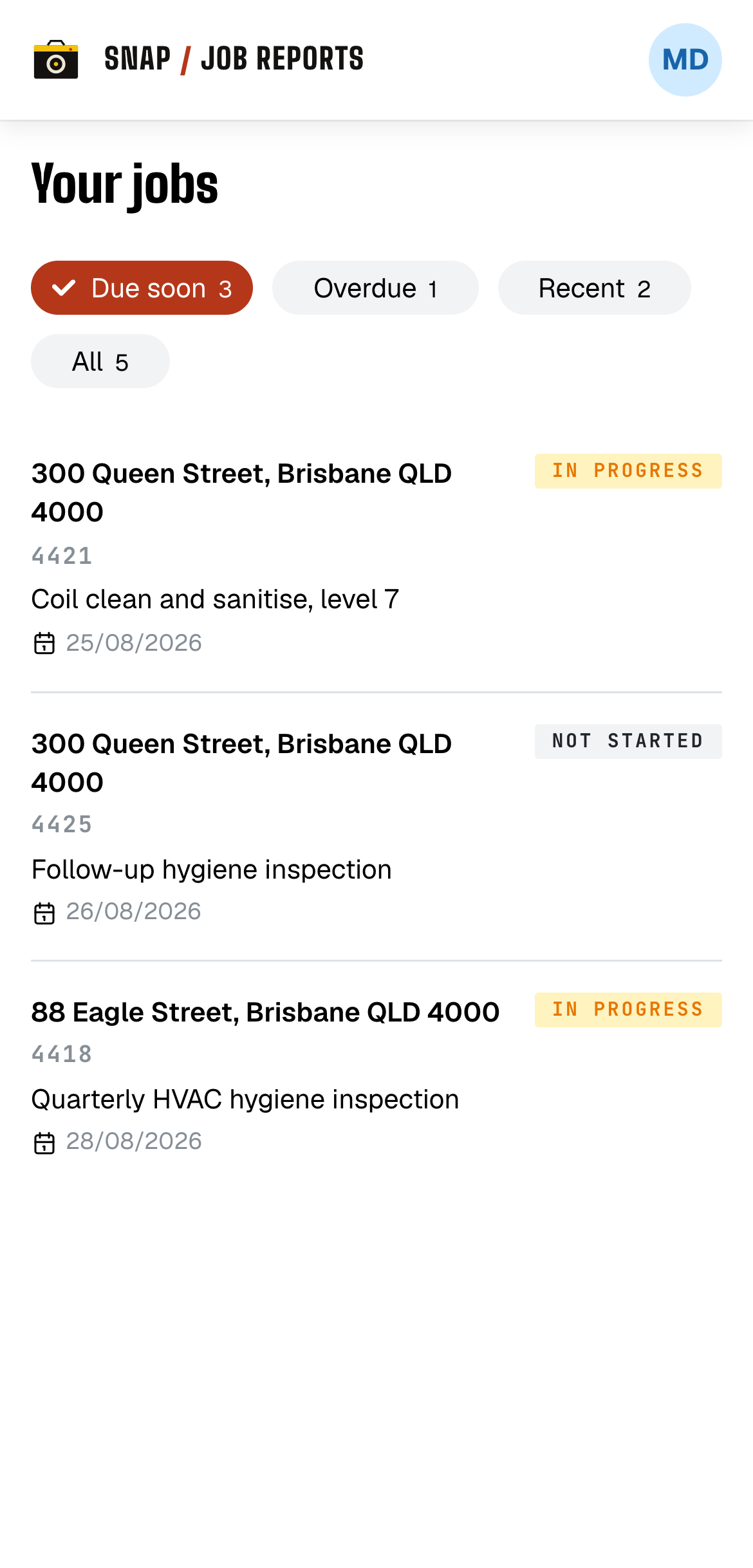
Open the job
Your jobs are there, sorted by what's due. They come across from ServiceM8 or get added by the office. Tap one and you're straight into capture.
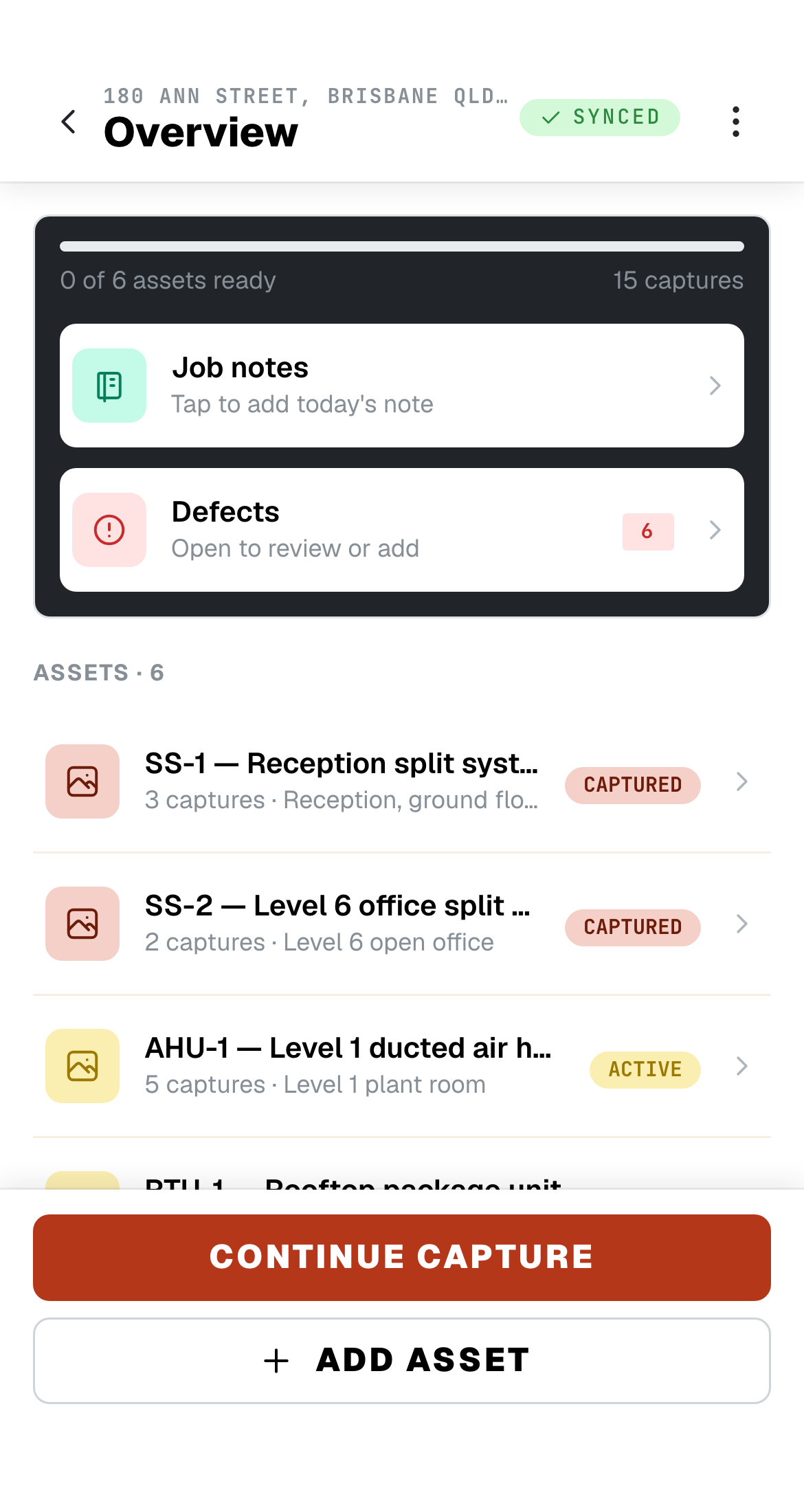
Work through the assets
The profile tells the tech what to capture on every asset, so nothing gets skipped. Put two techs on the same job and they can split it, each seeing the other's work within seconds.
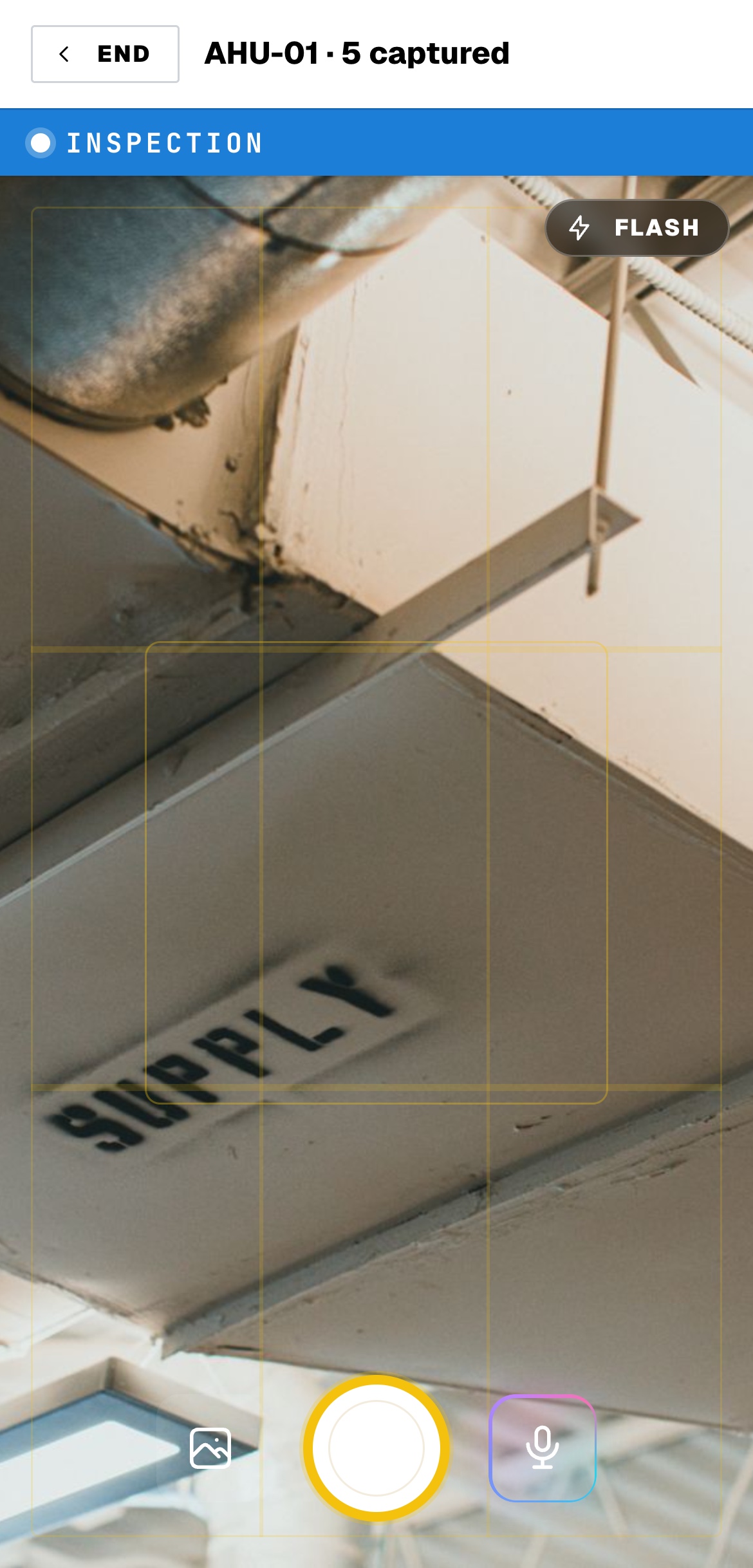
Snap and talk
Shoot before and after, then say what you see. Speaking fills in the name, rating and note, so nobody is typing on a phone with gloves on.
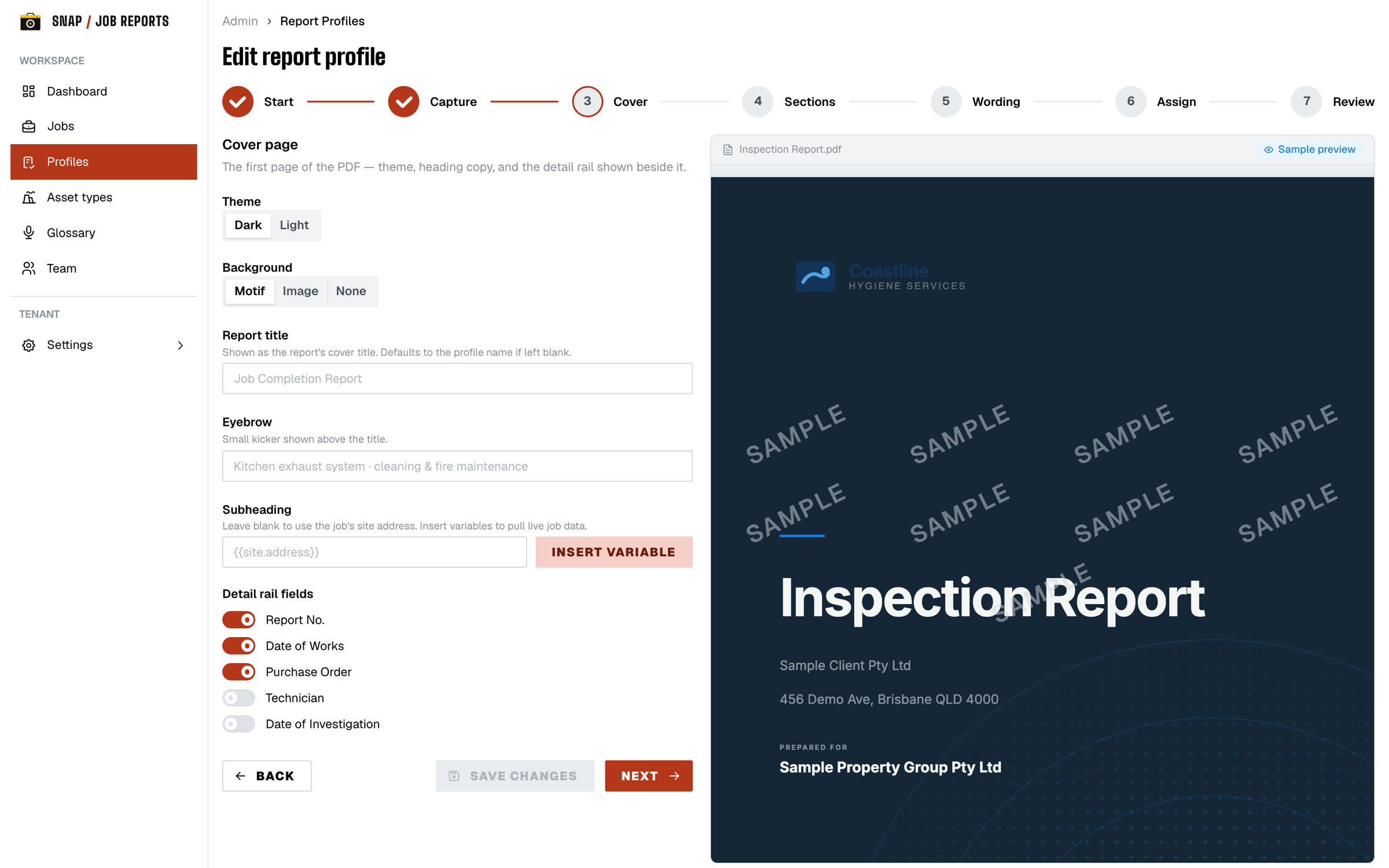
You design the report.
We fill it in.
Most tools hand you a fixed template. Here the office builds the report itself. A report profile sets what the tech captures on site and how the finished PDF reads. Build it once and every job of that type comes out the same.
The words stay yours
Everything the tech captured is there when you open the job. Change anything, add what the job needs, then send.
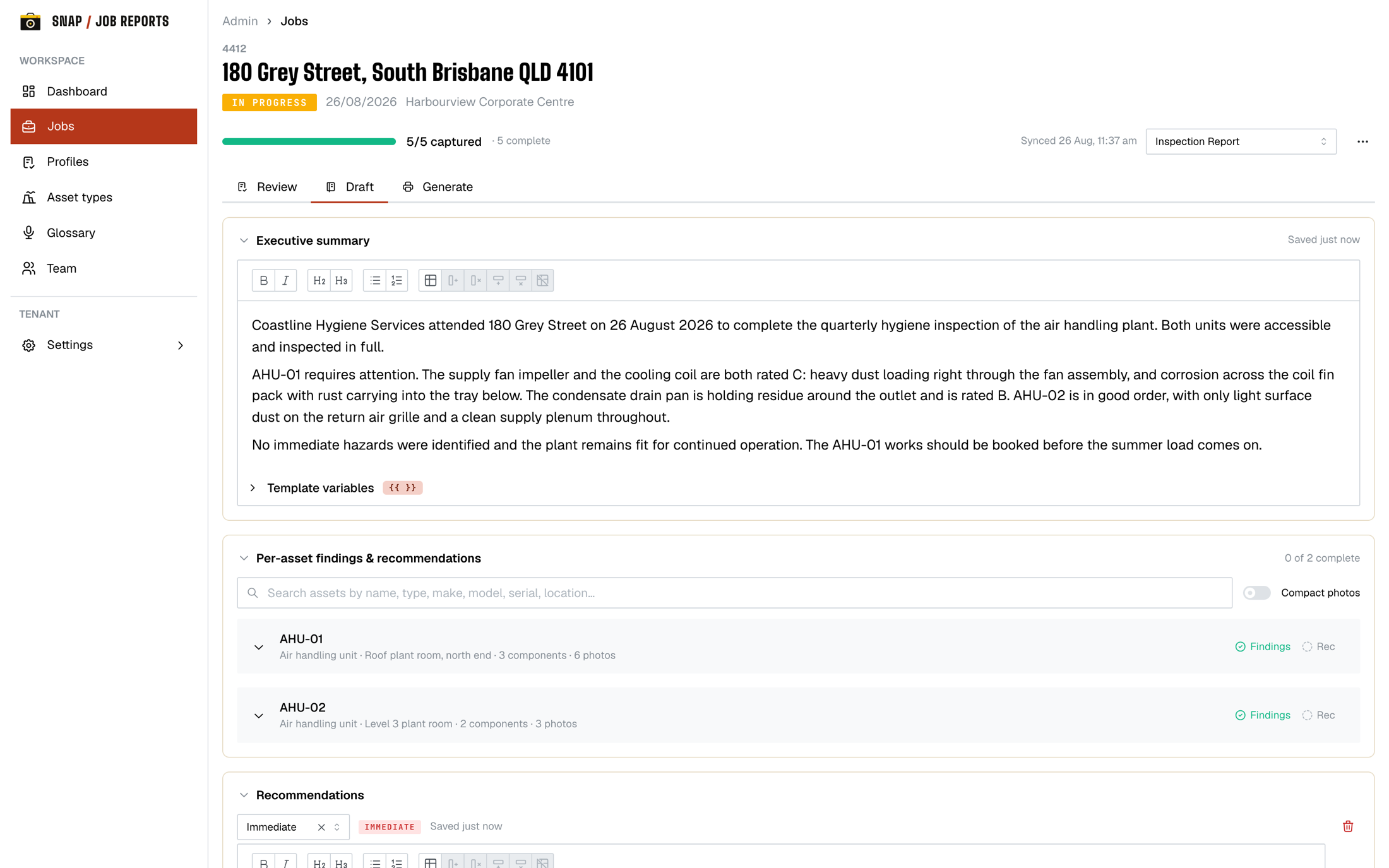
Nothing sits in limbo
One board with every active job on it, from not started through to sent. You can see how far along each one is and who's holding it up, without ringing anyone.
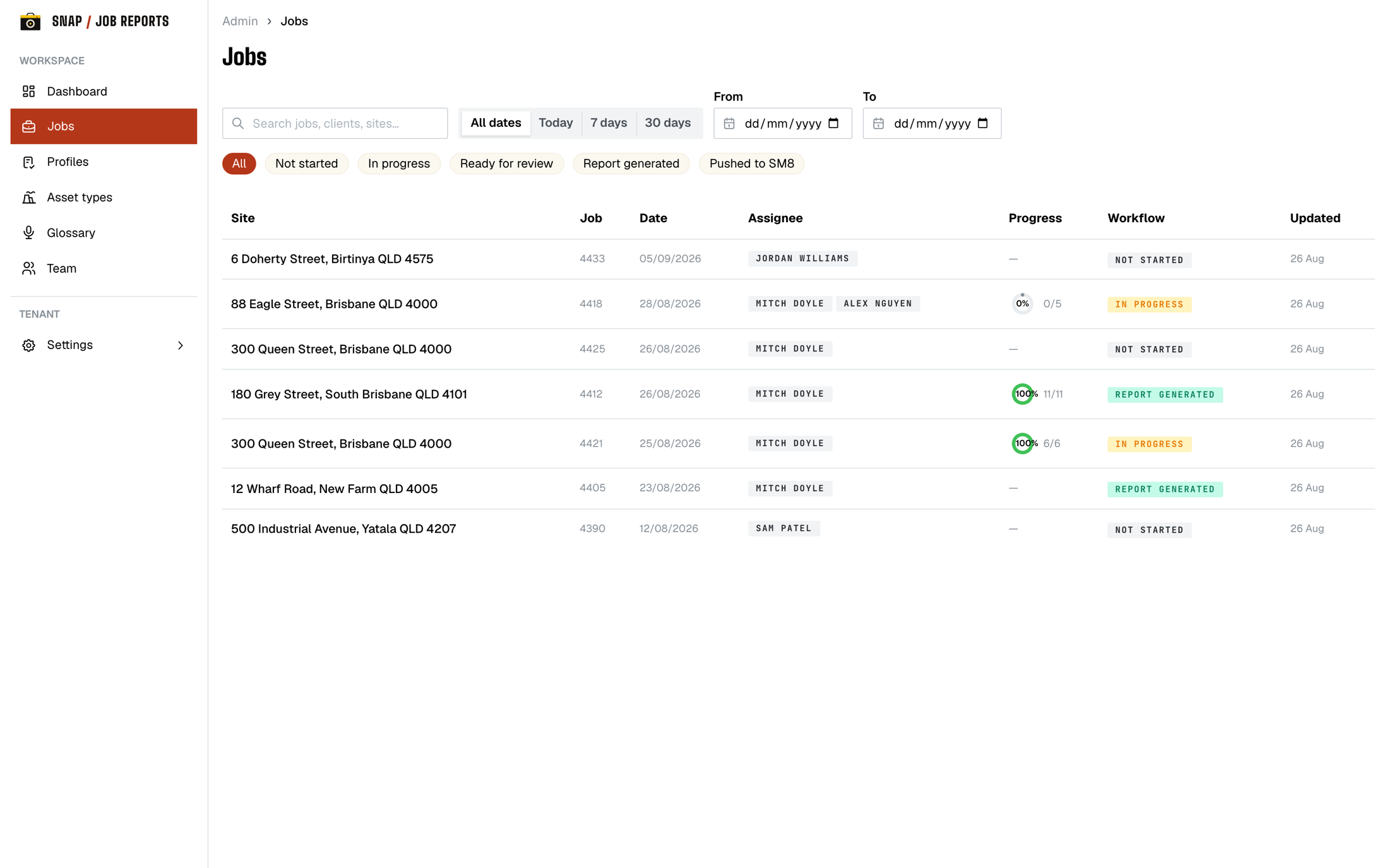
Brand editor
Your logo, colours, fonts and sign-off block on every page.
Asset types & glossary
Set up the gear you inspect so techs start from a known list, and a word list so the voice feature gets your trade's terms right.
Completeness check
Checks make sure the tech captured what the profile asks for. If something's missing, the job won't close.
Tracked and auditable
Approved reports are locked, and every admin action is tracked. You can see who changed what, and when.
The document your
client actually keeps.
Your format, your branding, and the same standard on every job, finished in minutes instead of an evening. Here are two out of the app: a water damage job and a property maintenance round.
Ask your assistant
to write it up.
On the Business plan, connect Claude, ChatGPT or another AI assistant to your workspace. It works on the report with you, from what your techs captured on site.
- →Reads what your techs captured: photos, ratings, notes and defects.
- →Drafts the summary, findings and recommendations for you to edit.
- →Checks what's missing, previews the report and generates the PDF.
I've drafted the findings for all three units from the photos and ratings. Unit 2 is rated the worst, so I've put it first. Have a read in Snap Job Reports before you generate the PDF.
Just one thing: the certificate isn't signed yet. Everything else is ready.
What crews ask us first.
What if there's no signal?
Everything saves on the phone and uploads when you're back in range. Photos, notes and sign-offs. Nothing is lost.
Does it really plug into ServiceM8?
You install it from ServiceM8 in one click. Your jobs, staff and photos come across, and the finished PDF goes back onto the job card.
Can two techs work the same job?
Yes, at the same time. The app shows who else is on the job so you can split it between you, and each tech's work shows up for the others within a few seconds. Nothing locks, so if you both shoot the same thing the office just picks the best one.
Does the AI write our reports?
Only if you ask it to. On the phone, a tech can speak instead of type and it fills in the name, rating and note for whatever they're photographing. On the Business plan, the office can connect Claude, ChatGPT or another AI assistant to draft the report sections from what your techs captured. Either way, the report is yours to review and send.
Where does our data live?
Sydney. It's encrypted, kept separate from every other business on the platform, and you can export the lot whenever you want.
Talk to us.
Questions, a walkthrough for your crew, or on a platform we don't support yet? Send us a message and we'll get back to you.
Ready to go? Sign up →Launch pricing is public. See the plans.