SJR · private betasydney · australia built on a worksite

Snap the job.Send the report.Get paid.

A photo-first, AI-assisted job report tool for HVAC, building, cleaning and field service crews. In private beta as a ServiceM8 add-on. Opens one-tap from a job card and syncs the finished PDF straight back. No more chasing photos off four phones at 9pm.

ai voice capture works offline servicem8 add-on on-site signoff auto-deliver pdf
HVAC coil being serviced09:14
rtu-03 / coil pre-cleanjob #4421 · 09:14
Ceiling air-conditioning vent09:48
return vent / cleanedjob #4421 · 09:48
Cleaned HVAC ductwork10:22
duct branch a / after cleanjob #4421 · 10:22
approved
on site / 10:22
hvac techssparkiesplumbersbuilderscleanerspest controlroofersglaziersconcretersfacilitiesrestorationfire & safetymechanical contractorskitchen exhaustduct cleanershvac techssparkiesplumbersbuilderscleanerspest controlroofersglaziersconcretersfacilitiesrestorationfire & safetymechanical contractorskitchen exhaustduct cleaners
§01the situation

You're a tradie,
not a typist.

Your reporting workflow right now: a phone full of out-of-order photos, a voice memo to your missus, and a Word doc the office made you in 2019. The report that wins the next job is the one that goes out today, looking like you actually run a business.

  • 01photos in 4 different phones, no captions, half sideways
  • 02office chases the report a week later, you've already moved on
  • 03client claims they didn't get it, can't quote a job number
  • 04$28k commercial inspection gets the same word doc as a callout
  • 05site notes scribbled on the back of a packing slip
  • 06the apprentice forgot the before photo. again.
we sorted it.
§02how it works

Snap. Review. Send.

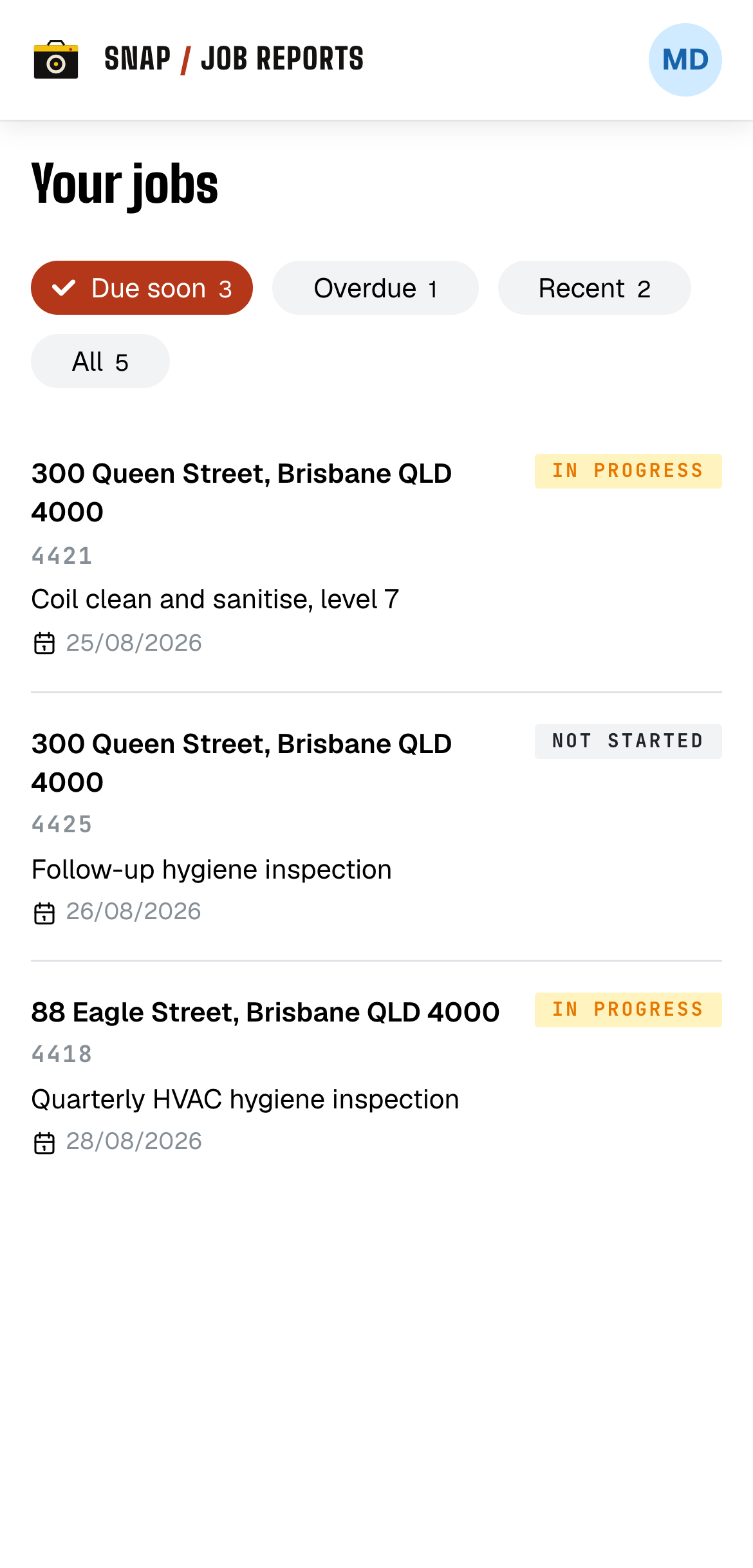
  1. Snap Job Reports field app on a phone, showing the tech's job list filtered by due soon, overdue, and recent, with a checked-in badge.
    step 01

    Open the job

    Your whole run for the day, sorted by what's due. Tap a job and you're straight into it. No depot trip, no paperwork to dig out, no working out which site is which. Show up and start shooting.

    tech on site
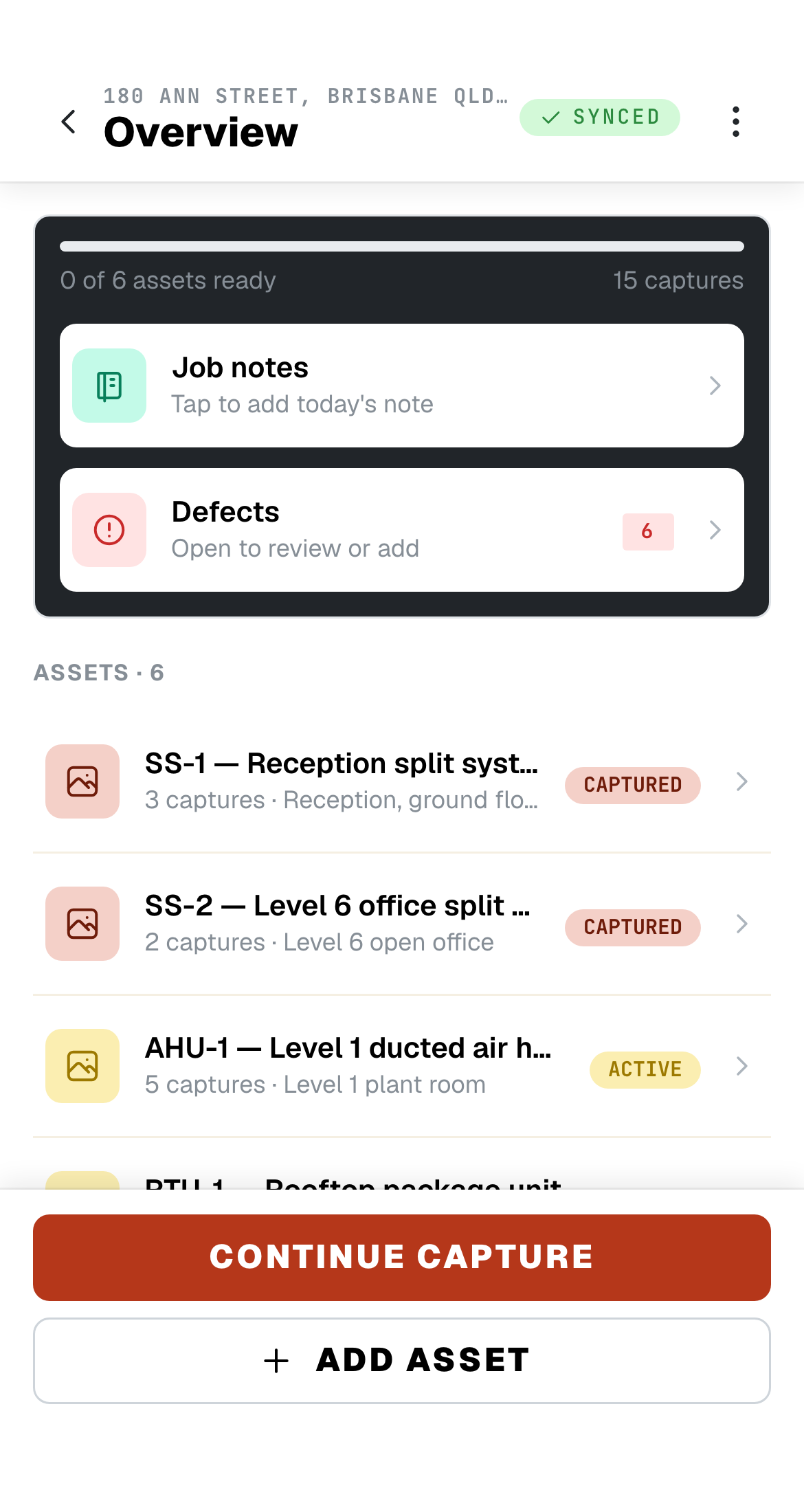
  2. Snap Job Reports field app on a phone, showing a job's overview listing every asset to capture, photo counts, and defects to review.
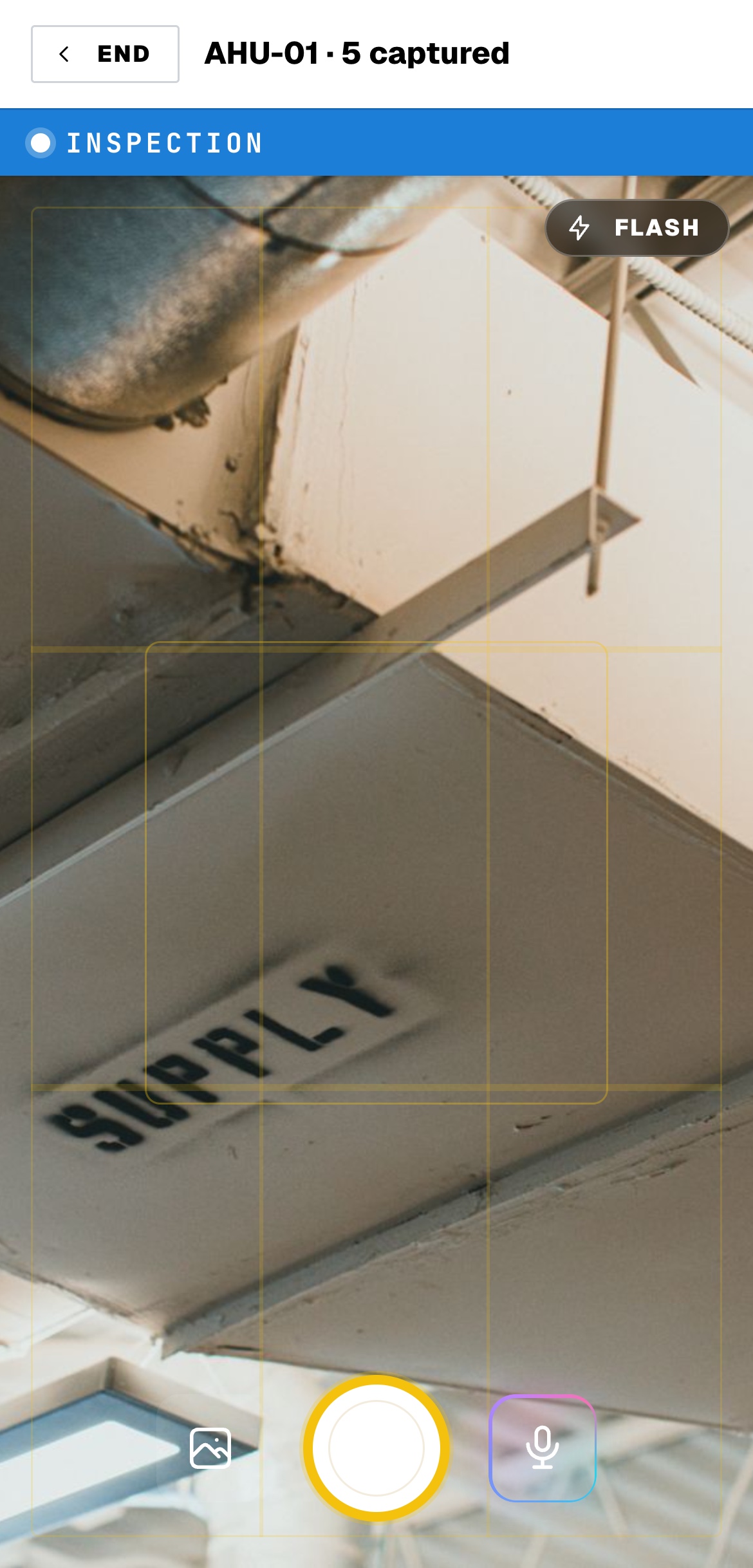
    Snap Job Reports field app on a phone, showing the inspection camera capturing a return-air vent, with the voice-capture microphone alongside the shutter.
    step 02

    Snap & talk

    Take the photo and just say what you're looking at: what it is, how bad it is, what needs doing. The write-up's done before you've packed the ladder. Gloves on, no signal, makes no difference.

    ai-assisted capture
  3. app.snapjobreports.com
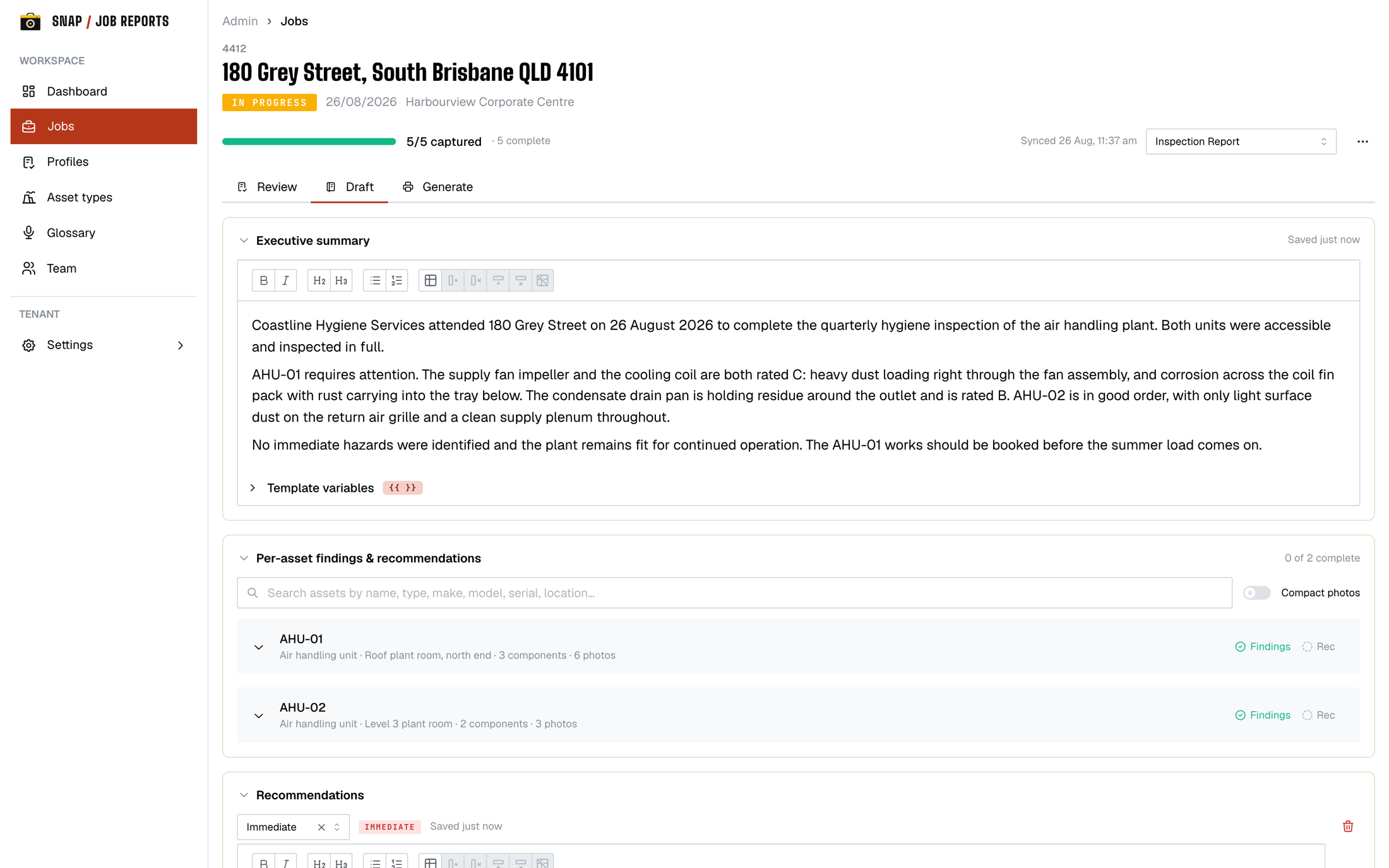
    Snap Job Reports office portal, showing the Draft tab where the office writes the executive summary and per-asset findings alongside the tech's photos.
    step 03

    Office Edits where needed

    Back at the office it's all there, in order and tagged to the right gear. The admin reviews the lot and writes up the findings, recommendations and scope. The words are yours, start to finish.

    admin authors
  4. your company pty ltd
    Hygiene Audit
    site report · prepared on site
    passed
    before
    after
    filter
    drain pan
    • sev 02Coil fouling moderate. Cleaned in place, rinsed, dried.
    • sev 01Filter rack 2 (MERV 13) replaced. Old media bagged.
    • sev 03Drain pan microbial growth. Treated, re-check booked.
    signed on site
    Sample Signoff
    coc-#0142
    pdf · tamper-evident
    sent to client
    step 04

    Sent to the client

    The moment it's approved, the report goes out under your brand, emailed to the client and clipped straight back onto the ServiceM8 job. They open something that looks like you run a serious outfit, and you're already on the next one.

    client-ready

private beta

The ServiceM8 add-on,
in beta now.

Beta crews install from the ServiceM8 console, open Photo Audit from a job card, and the first branded PDF is back on the job in minutes. The crew never leaves ServiceM8.

platform roadmap
  • ServiceM8beta
  • AroFlosoon
  • Simprosoon
  • FieldEdgesoon
  • ServiceTitansoon
§03the reports

Four reports.
Your brand, end to end.

Pick the format the job calls for. Logo, colours, signature block, even the font. Same engine handles a ten-photo callout and a hospital audit running 130-plus pages.

format / 0124pp
kex clean
sjr / pdf
page 01 / 07

kex clean

kitchen exhaust / before & after

before/after every section, contamination ratings, certificate of compliance.

format / 0212pp
high wall split clean
sjr / pdf
page 01 / 07

high wall split clean

split systems / fan coils

per-unit before/after, condition ratings, sign-off and cert.

format / 0348pp
hvac hygiene audit
sjr / pdf
page 01 / 04

hvac hygiene audit

ahu / ducts / coils / fan rooms

dual ratings, narrative findings, scope of works, hospital-grade coverage.

format / 0418pp
inspection report
sjr / pdf
page 01 / 09

inspection report

general condition audits

condition ratings, photo grid, findings and recommendations.

§04the toolkit

Everything that
should already exist.

We built it the way a foreman would. No menus you have to teach an apprentice. Every screen has one obvious next move.

feature / 01

Works offline

Plant rooms, basements, the bowels of a shopping centre. Capture without bars. Syncs the second you breathe air again.

feature / 02

Talk, don't type

Preset taps for asset, area, severity, and outcome, or just talk. AI turns your voice into notes, condition ratings, and items for resolution while your hands are full of WD-40.

feature / 03

ServiceM8 add-on

Lives inside your existing job. Photos, notes, and sign-off back on the job card with no double entry.

feature / 04

Your audits, your brand

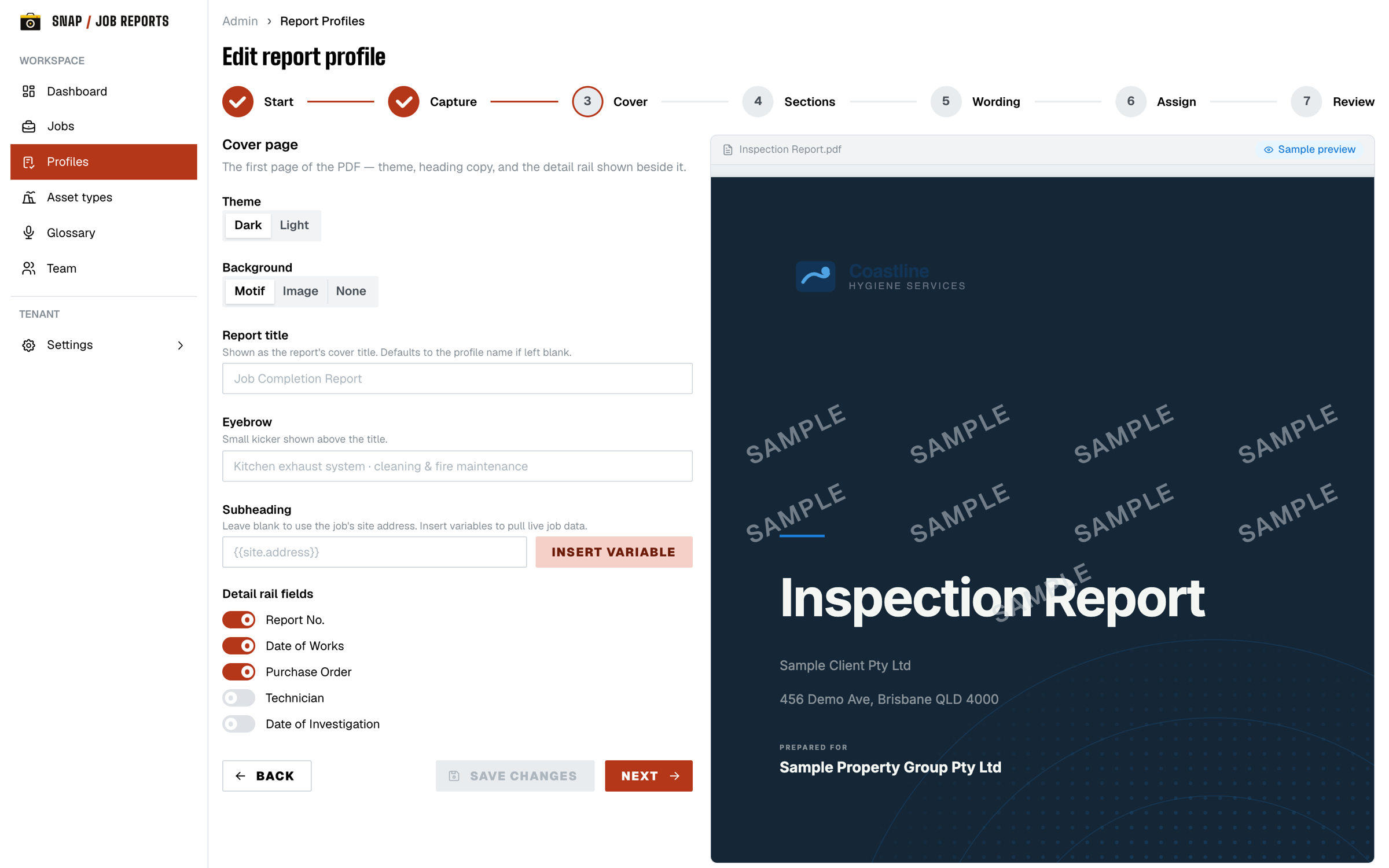
Set up the audit types your trade runs, design the PDF layout, and brand it end to end: your logo, colours, fonts and sign-off block. Build it once; every tech gets the same form.

feature / 05

On-site signoff

Client signs the screen, the PDF locks, and a hash gets stamped. No 'I never approved that' a month later.

feature / 06

Completeness check

Before any PDF is generated, the job is audited for completeness. Missing photos, ratings or sign-offs get flagged. No half-finished reports going out the door.

feature / 07

Clock-on, clock-off

Tracks each tech's status in ServiceM8, so you know they've clocked on and off the job and the times line up with the work that got done.

feature / 08

Live job board

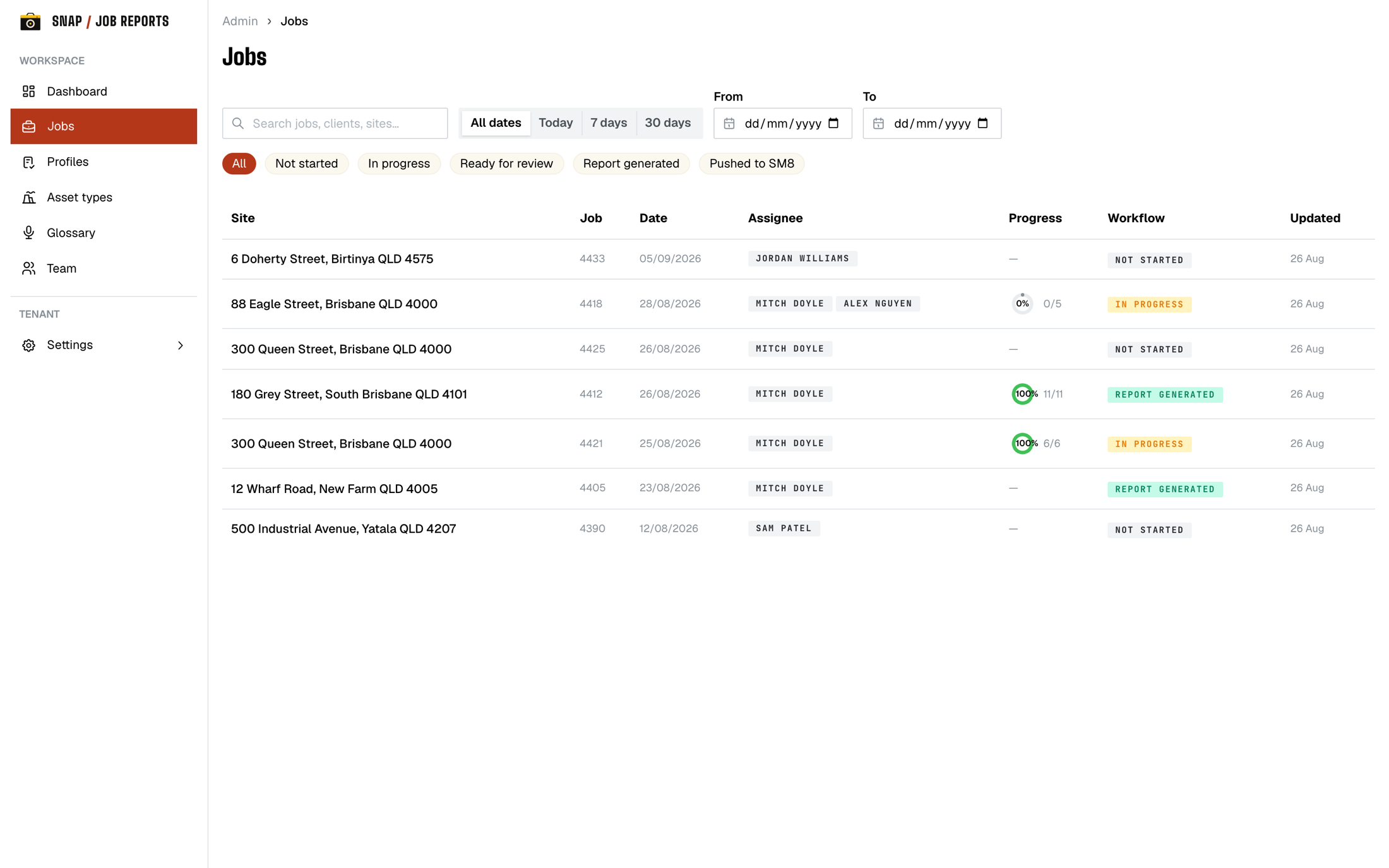
One admin view across every active job. See exactly where each one is up to, who's still on site, and what's outstanding.

feature / 09

Auto-deliver

Fires the PDF to the client, the office, and any stakeholders the second the job closes. By email, or attached straight back to the ServiceM8 job.

ai-assisted capture

Talk.
Don't type.

Hold the phone, take the photo, and just say what you see. The AI does the writing.

  1. 1field notes

    Describe what you're looking at out loud. It comes back as clean, structured notes against the right asset.

  2. 2condition ratings

    Say “coil fouling, moderate” and the AI sets the rating on the component. No scrolling a grid with gloves on.

  3. 3items for resolution

    Call out what needs actioning and it lands as a tracked item in the report's scope of works.

  4. 4end-of-day logs

    Talk through the day on the drive home. The AI writes up the end-of-day log so the office has it before you're back at the depot.

live in the betaworks hands-free on siteyou review every word before it ships
§06the questions

Things foremen
ask first.

Q.01What if there's no signal?+
Everything works offline. Photos, notes, sign-offs all queue locally and sync the moment you're back in range. Nothing is lost. Plant rooms and roof spaces, fine.
Q.02Does it really plug into ServiceM8?+
Yes. It installs as a ServiceM8 add-on (one-click OAuth). It opens inside the job card; jobs, staff and photos sync in, and finished PDFs attach back to the job. No double entry. We're in private beta, so you install via the beta onboarding.
Q.03Can I customise the report branding?+
Yes: logo, primary and accent colours, header font from a bundled set, and footer text, all per tenant. Need bespoke section layouts or cover pages? We'll build a custom report profile with you.
Q.04What about photo metadata and tampering?+
Capture time is recorded as a field against each photo. We strip EXIF from the stored image (keeping only orientation) for privacy, and we don't capture GPS or location data. Admin actions (approvals, report-profile and sync changes) are written to an append-only audit log, and field logins record a one-way (HMAC) hash of the IP rather than the raw address. Each finished PDF is stamped with a hash, so any later tampering is obvious.
Q.05Does the AI write my reports for me?+
It does the typing, not the deciding. Speak on site and the AI drafts notes, condition ratings, and items for resolution, plus your end-of-day log. You review and edit everything in the admin portal before any PDF goes out.
Q.06Where's my data?+
Hosted in Sydney, Australia. Encryption in transit and at rest, tenant isolation and least-privilege access. You own everything you capture, and can request a full export.
Q.07What if my crew is bad at tech?+
The capture flow is: tap a component, hit the big shutter, take photos, pick a colour-coded rating, or just talk and let the AI write it up. If a tech can take photos on a phone, they can use this.
Q.08How much does it cost?+
We're in private beta and pricing isn't locked yet. Register your interest and we'll talk numbers directly. Beta crews get early-access terms in exchange for feedback.
now in private beta

join the
beta.

Snap Job Reports is in private beta with field crews right now. Tell us who you are and what you run, and we'll be in touch as we open up spots. Your data stays yours. You own everything you capture and can request a full export.

private beta
ai-assisted capture
your data, your export
built on a worksite